How to Protect Digital Accounts
This article explains the importance of protecting digital accounts as online services become increasingly common. It covers strong passwords, two-factor authentication, phishing prevention, device security, personal data protection, and the steps users should take when suspicious account activity occurs.
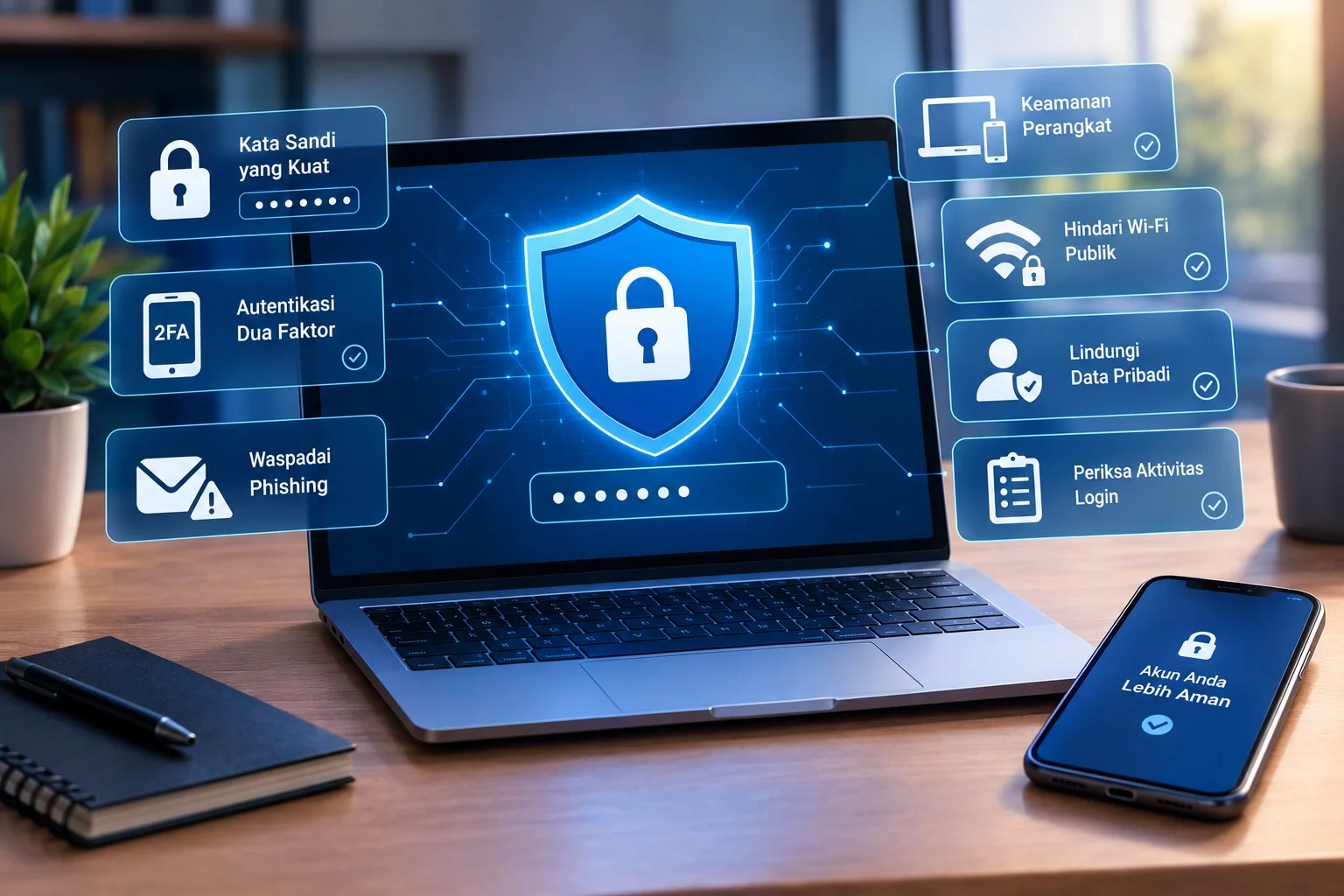
Table of Contents
Introduction
The development of digital technology has changed how people communicate, study, work, and perform everyday activities. Today, almost everyone uses digital accounts to access social media, email, educational services, file storage, and financial applications. These accounts often contain important information that must be protected from misuse.
However, convenient internet access also introduces various security risks. Users may face threats such as password theft, online scams, phishing, and unauthorized access. Security problems do not always occur because a system is weak. Sometimes, they result from careless habits when using digital services.
Therefore, understanding how to protect digital accounts is an essential skill for every internet user. By developing appropriate security habits, users can reduce the risk of losing account access and having their personal information misused.
Use Strong and Unique Passwords
Passwords are one of the main protections used to control access to digital accounts. Passwords that are too simple, such as number sequences, personal names, or birthdays, are easier for others to guess. For this reason, users should create passwords that are long, unique, and not directly related to personal information that can easily be discovered.
Consider using a memorable combination of words that is difficult for others to guess. Passwords should also be different for every important account. Using the same password across multiple services increases the risk because a breach on one service may affect other accounts.
To manage multiple passwords, users can consider using a trustworthy password manager. These applications help store passwords in an organized way, reducing the need to reuse one password for every account.
In addition, never share passwords with other people, including individuals claiming to be official service representatives. Legitimate services should not ask users to disclose their passwords directly through private messages.
Enable Two-Factor Authentication
Two-factor authentication (2FA) is a security feature that adds a verification step beyond a password. With this feature enabled, someone who knows a user's password may still be unable to access the account because additional verification is required.
Verification methods may include an authenticator app, a security key, or another method provided by the service. When available, users should choose a strong method that suits their needs. Verification codes delivered through SMS can also provide additional protection, although some other methods are more resistant to certain attacks.
Users must keep verification codes, one-time passwords (OTPs), and recovery codes confidential. Never give these codes to another person simply because they claim to be an administrator, support representative, or someone offering to help with an account problem.
Enable this feature especially on primary email accounts, social media accounts, and other services containing important information. Primary email accounts deserve particular attention because they are often used to recover access to other accounts.
Recognize and Avoid Phishing Attacks
Phishing is a form of fraud designed to trick users into revealing confidential information, such as passwords, verification codes, or personal data. These attacks can occur through emails, text messages, social media, and fake websites that imitate legitimate services.
Phishing messages often use language that makes recipients feel frightened or pressured to act quickly. Examples include notifications claiming that an account will be blocked, prizes that must be claimed immediately, or requests to verify an account through a particular link. The goal is to make users act without checking whether the information is genuine.
Before clicking a link, carefully examine the website address and the sender's information. Do not trust a message solely because it contains a familiar logo, account name, or website design, as these can be copied. If you receive a notification about an account problem, open the official application or manually enter the official website address in your browser.
If you have already entered your password on a suspicious website, access the legitimate service from a secure device and change your password immediately. Review your login activity, sign out unfamiliar sessions, and ensure that your account recovery methods remain under your control.
Keep Your Devices Secure
Digital account security depends not only on passwords but also on the devices used to access accounts. Phones and computers without adequate protection may increase the risk of information theft or unauthorized access.
Use a screen lock, such as a strong PIN, a device password, or an available biometric method. Do not leave your device unlocked when unattended, especially if it provides access to email, social media, or other important services.
You should also update your operating system and applications regularly. Updates often include security improvements, bug fixes, and system stability enhancements. Install applications from official sources and avoid installing software from unknown developers.
Pay attention to application permissions as well. An application should only receive permissions relevant to its purpose. If a simple application requests unreasonable access to personal information, reconsider whether it is trustworthy enough to use.
Be Careful When Using Public Wi-Fi
Public Wi-Fi in places such as cafes, schools, and transportation facilities can provide convenient internet access. However, poorly managed networks may introduce security risks, especially when users access important accounts without considering connection security.
Avoid entering sensitive information over an untrusted network when a safer connection is available. Make sure websites use HTTPS and never ignore security warnings displayed by your browser.
Users should also be cautious of Wi-Fi networks with names that imitate a location's official network. When possible, ask the staff for the correct network name instead of connecting randomly.
After using a public device or network, make sure you sign out of your accounts properly. Do not save passwords on shared computers, and avoid enabling automatic sign-in on devices used by multiple people.
Review Login Activity and Connected Devices
Many digital services provide features that allow users to review login history, approximate access locations, activity times, and connected devices. These features can help identify activity that does not match the user's usual behavior.
Review this information regularly, especially for your primary email and social media accounts. Look for unfamiliar devices, suspicious login times, or notifications about security changes that you did not make.
However, approximate login locations are not always accurate. Mobile networks, VPNs, and changes in IP addresses can make a location appear different. Therefore, also examine other details, such as the device type, activity time, and whether you were actually signing in at that moment.
If you discover an unfamiliar session, use the account's security settings to sign that device out. Then change your password if necessary, review two-factor authentication, and make sure your recovery email and phone number have not been changed by someone else.
Protect Personal Information on Social Media
Information shared on social media can help others guess passwords, impersonate account owners, or create more convincing scams. Details such as full birth dates, phone numbers, home addresses, and private activities should not be shared publicly without careful consideration.
Review the privacy settings on every platform you use. Limit who can view your posts, send messages, tag your account, or find your profile using personal information. These settings can reduce the amount of information available to unfamiliar people.
Users should also be cautious when participating in online quizzes or completing forms that request excessive personal information. Not every data request has a clear purpose. Before completing a form, make sure the service is trustworthy and that the requested information is genuinely necessary.
Additionally, avoid sharing screenshots that display verification codes, recovery information, or account details. Information that seems harmless can provide valuable clues to someone attempting to misuse an account.
Secure Your Primary Email and Account Recovery Methods
A primary email account plays an important role because it often receives security notifications, password reset messages, and recovery instructions for other accounts. If an unauthorized person gains access to the primary email, several connected accounts may also become vulnerable.
Use a unique password for your primary email and enable two-factor authentication. Make sure the recovery email address and linked phone number are still active and under your control.
You should also review email forwarding settings, message filters, and connected devices. Unrecognized changes to these settings may cause important messages to be forwarded elsewhere or become difficult for the account owner to find.
Store recovery codes in a secure place where other people cannot easily access them. Avoid leaving recovery information openly accessible on shared devices. By securing the primary email account, users can strengthen the protection of multiple digital services at the same time.
Know What to Do If Your Account Is Hacked
Even after taking preventive measures, users should know what to do when an account shows suspicious activity. A quick response can help reduce the impact and prevent the situation from becoming more serious.
First, access the service through its official application or website using a secure device. If you can still sign in, change your password immediately and sign out unfamiliar login sessions. Then review your recovery information, authentication methods, and any settings that may have been changed without your permission.
If you cannot access the account, follow the provider's official account recovery procedure. Do not pay people who claim they can recover accounts through unofficial methods, and never give them your OTP or password.
If your account has been used to send scam messages, notify affected contacts through another communication channel. If a financial or payment account is also at risk, contact the relevant provider through its official support channels. Keep evidence of suspicious activity if it is needed for reporting.
Build Good Digital Security Habits Early
Digital security is not only about installing protection applications or changing passwords occasionally. It also involves everyday habits when receiving messages, downloading files, using devices, and sharing personal information.
Make it a habit to verify information before taking action, especially when a message requests confidential data or pressures you to open a link. Be cautious of prizes, job offers, or financial opportunities that request payment or account information without a clear explanation.
Take time to review your security settings regularly. Make sure applications are updated, recovery methods are correct, and no unfamiliar devices are connected to your accounts. Small habits practiced consistently can provide better protection over time.
Understanding digital security is also important for students. By learning how to protect accounts early, students can use technology for learning, communication, and skill development without neglecting privacy and information security.
Conclusion
Protecting digital accounts is every internet user's responsibility. Using strong and unique passwords, enabling two-factor authentication, recognizing phishing attempts, and reviewing login activity are important steps toward reducing the risk of account misuse.
In addition, device security, personal information protection, and primary email security should become part of everyday habits. Users should also understand account recovery procedures so they can respond quickly when suspicious activity occurs.
No method can guarantee complete security. However, by consistently practicing good digital security habits, users can strengthen account protection, preserve their privacy, and use online services more safely.

Uploaded by
Muazzam Azri Lubis
Tech Contributor