Getting Started with PHP and MySQL: A Beginner's Guide to Building Dynamic Websites
PHP and MySQL are widely used technologies for developing dynamic websites. PHP processes requests and application logic on the server, while MySQL stores and manages structured data. This article explains their definitions, differences, how they work together, basic code examples, and practical steps for beginners who want to start building dynamic websites.
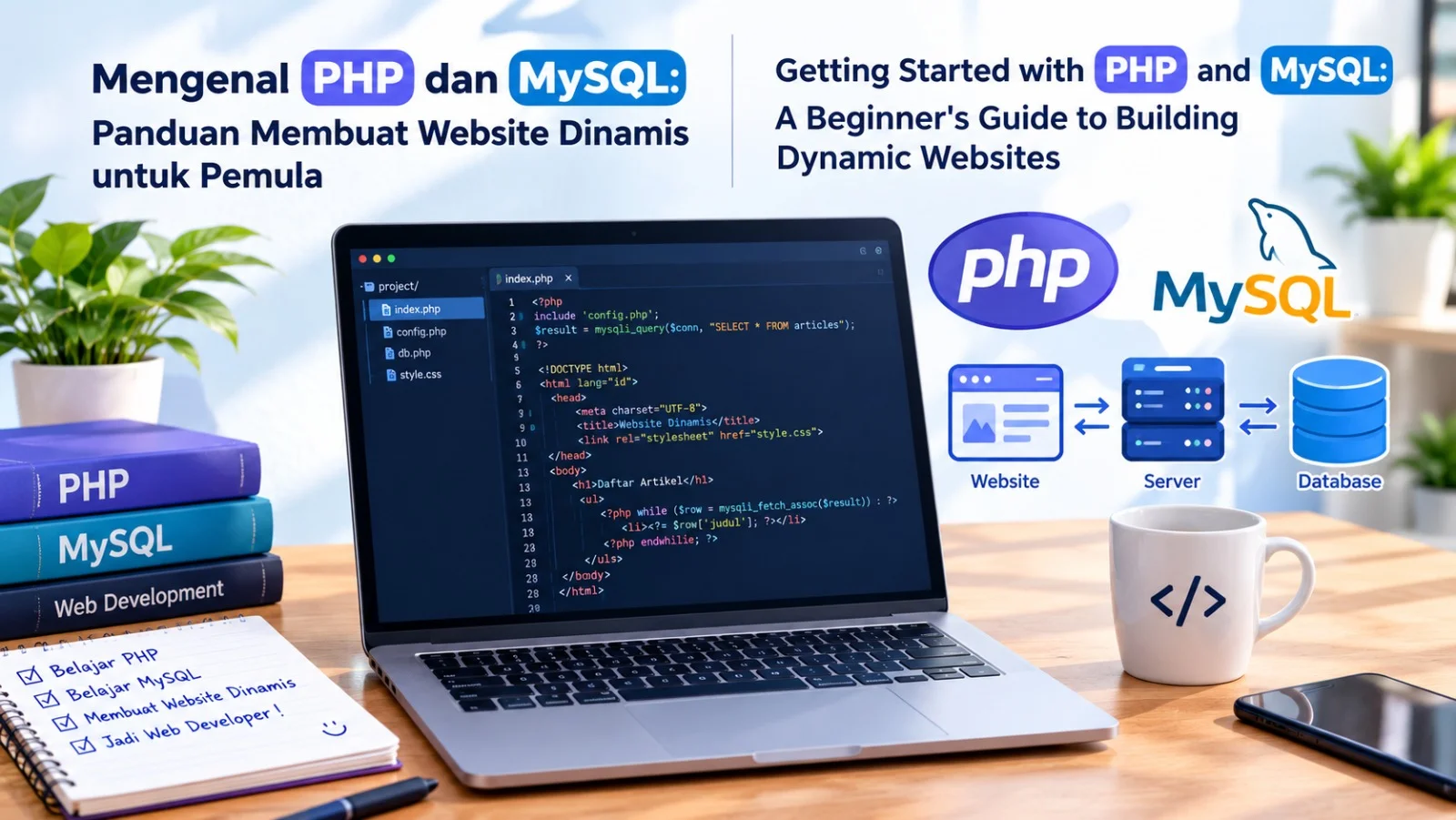
Table of Contents
Introduction
Websites are used for many purposes, including blogs, online stores, information systems, and web applications. Modern websites do more than display information. They can accept user input, store data, manage accounts, and respond to visitor activities.
PHP and MySQL are technologies often used together to build dynamic websites. PHP handles server-side processing and application logic, while MySQL stores and manages information in a database.
For beginners interested in web development, understanding these technologies is an important step toward building websites that can process data.
What Is PHP?
PHP is a programming language widely used for server-side web development. PHP code is processed by a server, and the result is sent to the user's browser, often as HTML. PHP can be used to:
- Process form submissions.
- Build login and registration systems.
- Manage user sessions.
- Retrieve and store database records.
- Display dynamic website content.
Example:
<?php $name = "Andi"; echo "Welcome, " . $name . "!"; ?>
In this example, the $name variable stores the text “Andi”. The echo statement displays a welcome message using that value.
What Is MySQL?
MySQL is a relational database management system used to store, organize, and retrieve data. Information is stored in tables containing rows and columns.
For example, a website's users table may contain:
- id for a unique user identifier.
- name for the user's name.
- email for the user's email address.
- registration_date for the registration date.
MySQL can store account details, product information, article listings, and transactions. A database makes information easier to search, update, and manage.
The Difference Between PHP and MySQL
PHP and MySQL have different responsibilities.
PHP handles application processing, including validating input, executing program logic, and processing requests.
MySQL manages data storage, including saving new information, retrieving records, updating entries, and deleting data when authorized.
For example, when a user submits a registration form, PHP can validate the submitted information and send a query to MySQL to save it.
In short, PHP handles program logic, while MySQL manages data storage and retrieval.
How PHP and MySQL Work Together
These technologies can work together through the following steps:
- A user opens a website in a browser.
- The browser sends a request to the web server.
- PHP processes the request and determines which data is needed.
- PHP sends a query to MySQL when database access is required.
- MySQL processes the query and returns the results.
- PHP prepares the response, and the server sends it to the browser.
For example, PHP can retrieve article records from MySQL and display them as an HTML page. This allows website content to change based on stored data without manually creating a separate page for every article.
An Example of PHP in a Website
PHP can display information stored in variables.
<?php $title = "Learning Web Development"; $author = "Admin"; echo "<h1>" . $title . "</h1>"; echo "<p>Written by: " . $author . "</p>"; ?>
This code displays an article title and an author's name. In a larger application, these values could be retrieved from a MySQL database instead of being written directly into the code.
Connecting PHP to MySQL
PHP needs a database connection to retrieve or store information. One common option is the MySQLi extension.
Example for a local development environment:
<?php $connection = new mysqli( "localhost", "root", "", "learn_web" ); if ($connection->connect_error) { die("Database connection failed."); } echo "Database connection successful."; ?>
In this example, localhost refers to the local server, root is the database username, and learn_web is the database name. These settings must match the local configuration.
Before running the code, make sure the database service is active and the database has been created. For real projects, use secure credentials and avoid displaying internal error details to visitors.
Tools Needed to Get Started
Beginners can learn PHP and MySQL using a local development environment.
The main tools include:
A code editor for writing and managing source code.
PHP for executing PHP code.
MySQL for storing and managing data.
A local web server for handling browser requests and running PHP.
A browser for viewing and testing the website.
Once the tools are ready, start by creating a simple PHP file. Then learn how to create a database, build tables, and connect the application to the database.
Tips for Beginners
To learn effectively, start with the fundamentals and gradually build more complex projects.
Learn PHP variables, data types, conditions, loops, and functions.
Understand tables, columns, primary keys, and basic SQL commands.
Build small projects, such as a guestbook or task list.
Use parameterized queries to help prevent SQL injection.
Validate user input before processing it.
Never store passwords as plain text. Use an appropriate password-hashing method.
Test applications with sample data before making them available to other users.
Practicing with small projects helps beginners understand how program code interacts with database records.
Conclusion
PHP and MySQL are commonly used together to build dynamic websites. PHP handles request processing and server-side application logic, while MySQL stores and manages structured data.
By learning their functions, understanding programming fundamentals, and practicing with small projects, beginners can build a strong foundation in web development. Security practices such as input validation, parameterized queries, and proper password handling should also be applied from the beginning to help keep applications secure and maintainable.

Uploaded by
Kirania Aureliyanti
Tech Contributor